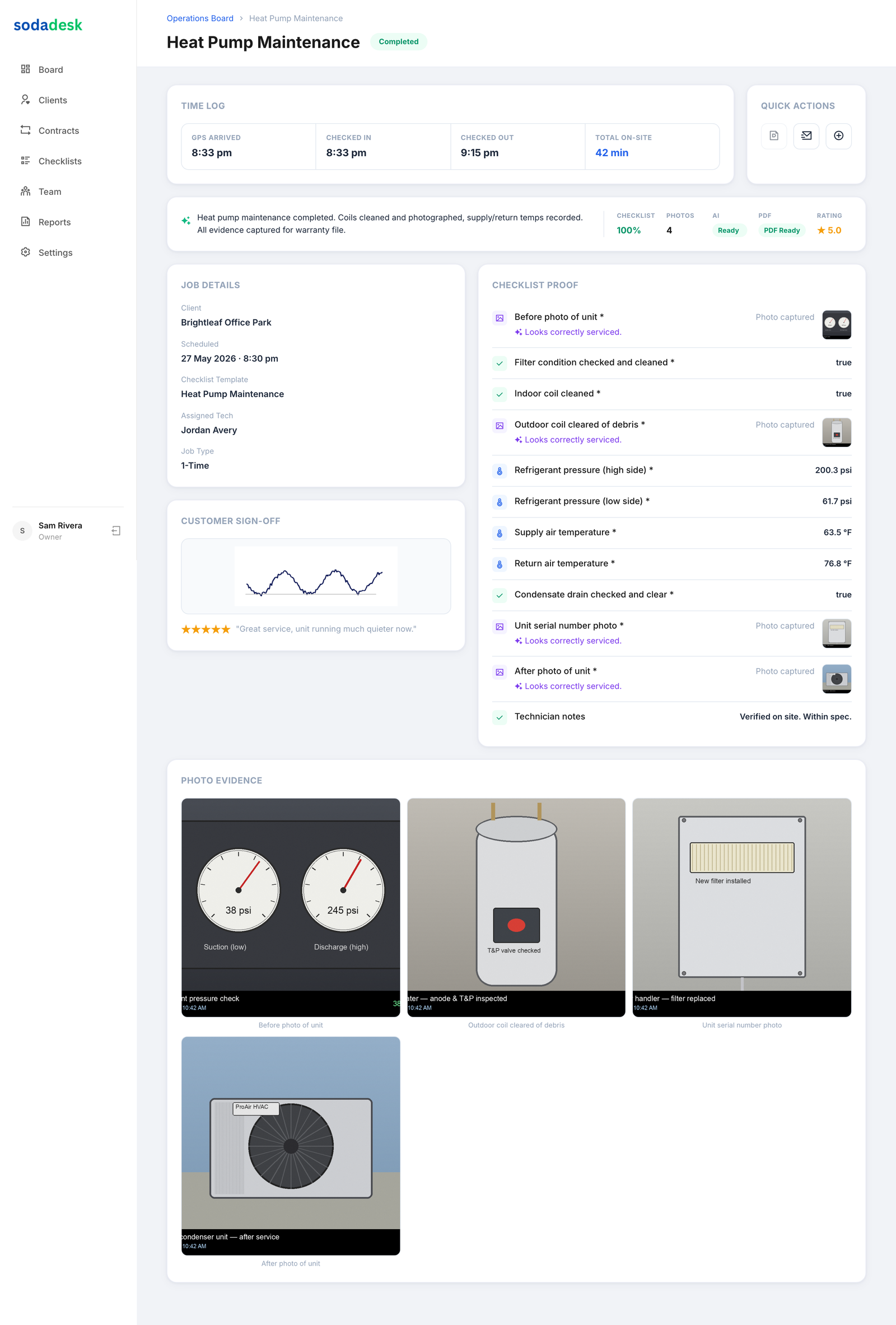
The difference between "the tech says it's done" and "here's the proof it's done" is the whole product. SodaDesk captures photo and checklist evidence on every job so owners stop taking field work on faith and customers stop disputing it.
The Business Case
Owners spend hours a week chasing techs for proof a job was completed properly. Job-proof capture makes that proof automatic.
Where Most Trade Contractors Get Stuck
- You find out a required photo was skipped only when a warranty claim or dispute lands.
- Checklists get marked complete without the work behind them actually being done.
- There's no way to prove a tech was on site, or for how long.
- Sending a customer proof of the visit means digging through texts and camera rolls.
How SodaDesk Solves It
Required photos, enforced
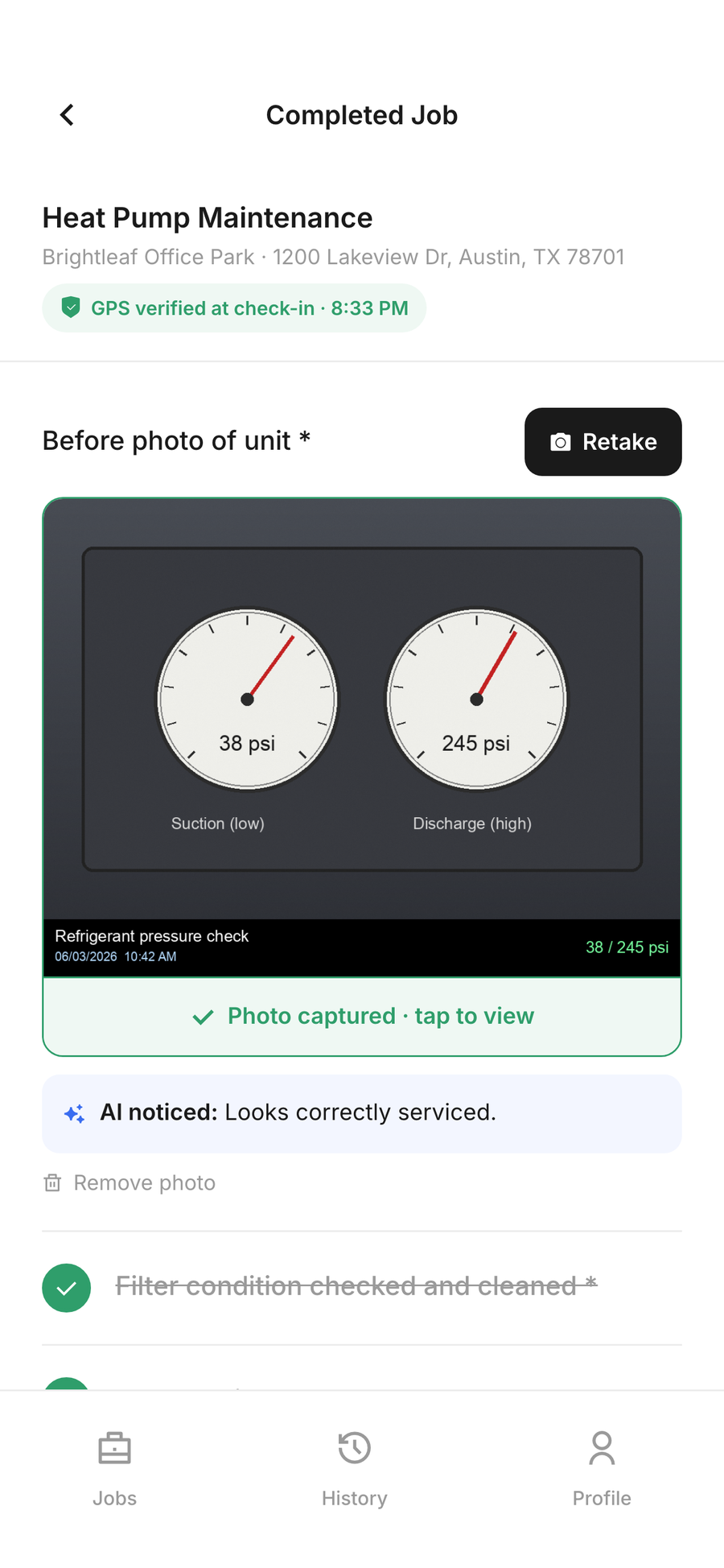
Mark Complete stays locked until every required photo and checklist item is captured, so proof can't be skipped.
GPS-verified check-in
Check-in optionally captures location; a verified badge appears when accuracy is under 100m. Never blocking — denied permission still allows check-in.
Time on site, automatically
Check-in to check-out is logged and shown as a clear time-on-site figure on the job and in history.
Customer signature + report
A signature closes the job and everything compiles into a job-proof record the owner can send to the customer.
How It Works
Owner schedules the job
Create a one-time or recurring service job and assign a tech — the right checklist is attached automatically.
Tech checks in on site
Check-in captures the time and, when location is allowed, a GPS-verified arrival — never blocking, even if permission is denied.
Checklist + photo proof
The tech works the checklist on mobile: numbers, notes, and required photos. Mark Complete stays locked until every required item is done.
Proof is captured automatically
Photos, readings, time on site, GPS, and the customer signature are compiled into a job-proof record the owner can send to the customer.
Frequently Asked Questions
Can techs skip required photos?
No. The Mark Complete action is gated — it stays disabled until every required checklist item and photo is captured.
Is GPS check-in required?
No. GPS is non-blocking. If a tech denies location or it times out, they still check in normally — the verified badge simply only appears when accuracy is under 100m.
What does the customer receive?
A job-proof record combining photos, checklist results, time on site, GPS check-in, and their signature — sendable straight from the job detail.
Where are photos stored?
Photos and signatures are stored in object storage (Wasabi) with a local fallback, and referenced from the job record — never lost on a device.
Is this a field photo log app?
In practice, yes. Each job keeps a photo log of the required before/after shots, tied to the checklist, time on site, and the tech who took them — so it's a record you can pull up later, not just photos on a phone.