HVAC timesheets filled in from memory cost you money and trust. SodaDesk logs time as techs do the job — check in, service the unit, check out — and ties every hour to the GPS arrival and photos, so paid hours match real work. There is no separate timesheet app for the tech to remember, and no Friday afternoon spent reconstructing a week nobody wrote down.
The Business Case
Guessed HVAC timesheets quietly inflate payroll. Verified check-in/out removes the guesswork.
Where Most hvac Contractors Get Stuck
- Techs reconstruct the week's hours on Friday from memory, and memory rounds up.
- No link between hours claimed and proof the tech was actually on the unit.
- Exporting hours for payroll means rekeying them by hand into another system.
- Multi-stop days collapse into one vague daily total instead of per-call time.
- Drive time, warranty calls, and paid work all blur into the same undifferentiated block.
- A customer disputes the hours on an invoice and there's nothing to show them.
- Overtime is discovered at payroll instead of on the day it was worked.
How SodaDesk Solves It
Time logged by doing the job
Check-in to check-out is the time entry — no separate timesheet app to remember, and nothing for a tech to fill in later from memory.
Tied to job proof
Every entry links to the GPS check-in, photos, and readings for that HVAC job, so an hour on the timesheet has evidence behind it.
Per-job time on site
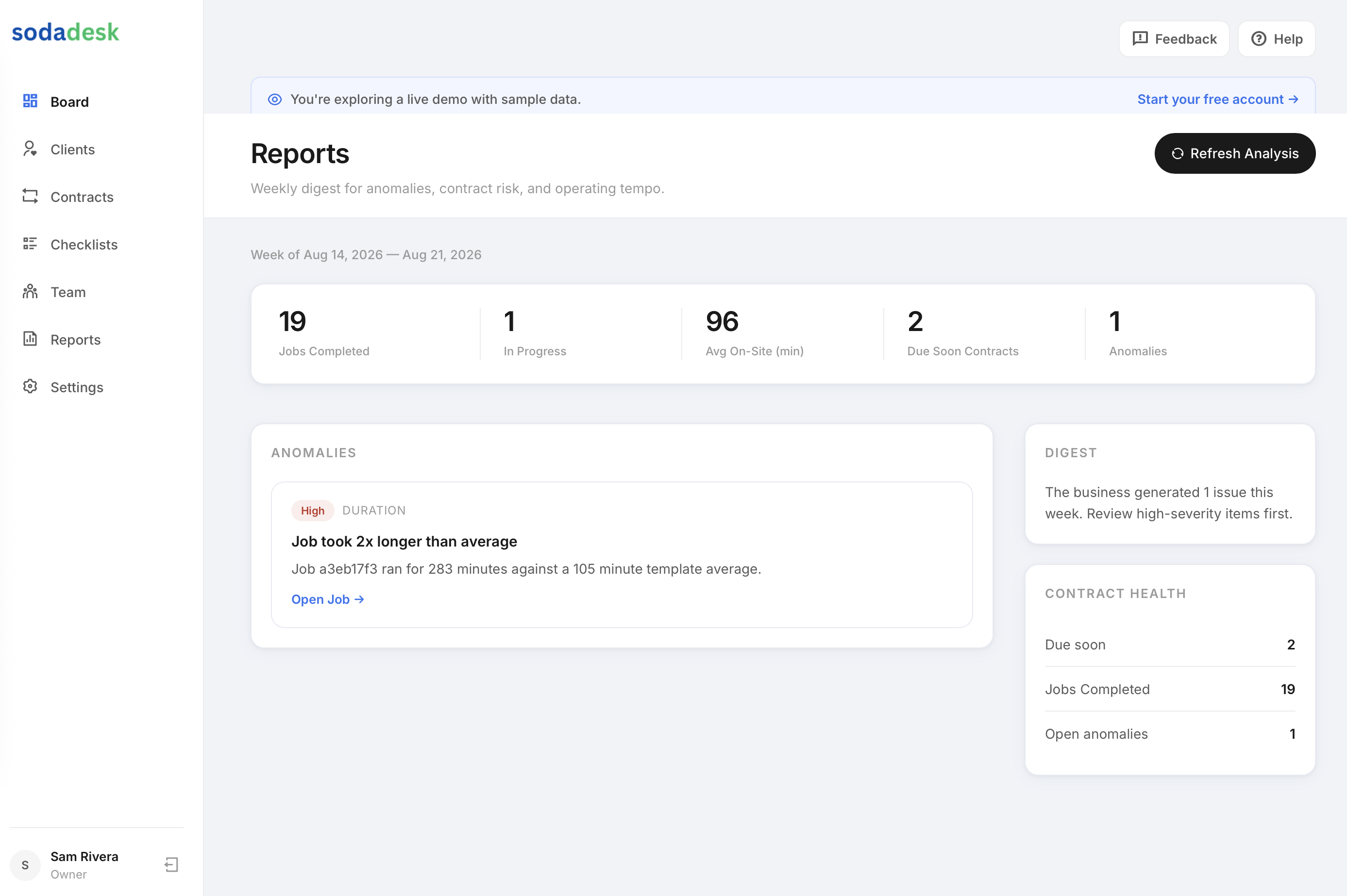
History shows each job as a clear time-on-site figure for owner and tech — a five-stop day reads as five entries, not one guess.
Payroll CSV export
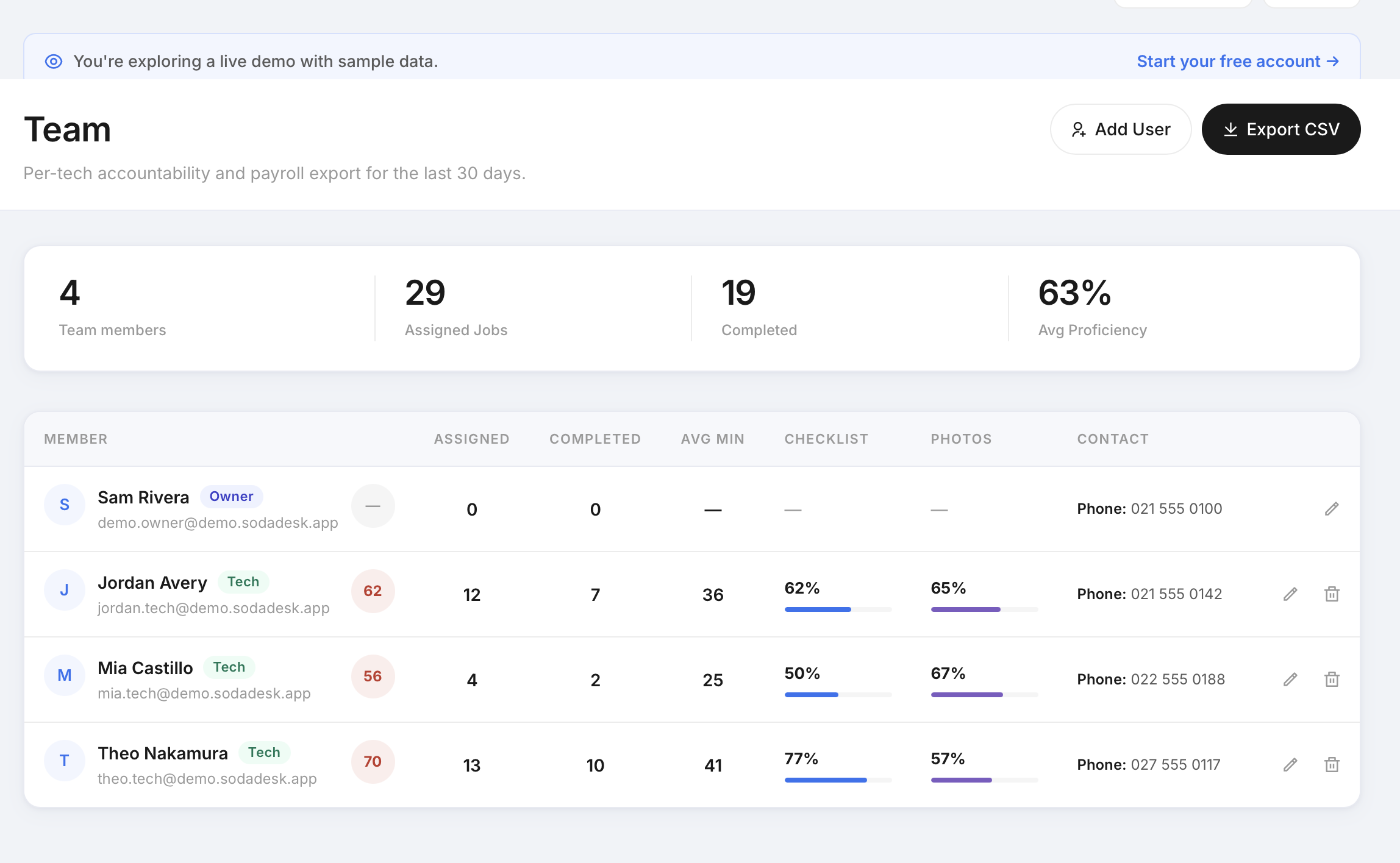
Export verified hours from the team page for your payroll system instead of rekeying them by hand.
Verified the moment it happens
Because time is captured on site rather than written up later, the record reflects the day as it actually ran — including the calls that went long.
Answers the invoice dispute
When a customer questions the labour on a bill, the job record shows arrival time, time on site, and the photos taken while the tech was there.
How It Works
Owner schedules the job
Create a one-time or recurring hvac job and assign a tech — the right checklist is attached automatically.
Tech checks in on site
Check-in captures the time and, when location is allowed, a GPS-verified arrival — never blocking, even if permission is denied.
Checklist + photo proof
The tech works the checklist on mobile: numbers, notes, and required photos. Mark Complete stays locked until every required item is done.
Proof is captured automatically
Photos, readings, time on site, GPS, and the customer signature are compiled into a job-proof record the owner can send to the customer.
Built for hvac
Time tied to the unit, not a guess
Each HVAC job's check-in to check-out is the time entry, linked to the photos and readings for that unit — so the hours billed match the work shown.
Multi-stop days, cleanly logged
Techs running several service calls a day get a clean per-job time-on-site figure for each, instead of one fuzzy daily total.
Payroll-ready export
Export verified hours as CSV for your payroll system — no rekeying from memory at week's end.
Frequently Asked Questions
What is the best HVAC time tracking software?
The best HVAC time tracking is the kind your techs don't have to think about. SodaDesk logs time as a by-product of doing the job — check in, service the unit, check out — and backs every hour with the GPS arrival and the photos taken on site, so paid hours match real work without a separate timesheet app.
How is HVAC tech time captured?
From the check-in and check-out on each job. Doing the job produces the entry, so there's no separate timesheet to fill in.
Does it replace digital HVAC timesheets?
Yes. Instead of a tech reconstructing the week's hours on Friday, each job's check-in/out becomes the timesheet entry automatically, and the owner exports verified hours as a payroll CSV — a digital HVAC timesheet that's filled in by the work itself.
Can I see which HVAC technician is where?
Each check-in captures a GPS-verified arrival when the tech allows location, so the owner can tie logged time to the technician being on the unit, per job.
Can I export hours for payroll?
Yes — the owner team page exports a payroll CSV ready for your payroll workflow.
What about techs running many calls a day?
Each job gets its own time-on-site figure, so a multi-stop day is logged per call rather than as one fuzzy total.
How do you track time for HVAC techs in the field?
The tech opens the job on their phone and checks in when they arrive. That timestamp — plus a GPS-verified arrival when location is allowed — starts the entry. When the checklist is done and they check out, the entry closes. Nothing is typed in twice, and the tech never has to recall what time they got to a job three days ago.
Is there a time tracking app for HVAC contractors that works offline?
Check-in and check-out are designed to be fast and forgiving on bad rooftop signal, and GPS capture never blocks a check-in — if permission is denied or location times out, the tech still checks in and the plain timestamp is recorded. Full offline job caching is on the roadmap rather than shipped today.
How much time does HVAC time tracking actually save?
The saving is mostly at the owner's end. The Friday ritual of chasing techs for hours and rekeying them into payroll disappears, because the hours are already recorded per job and export as a CSV. Techs spend seconds per job rather than a block at the end of the week.
Can I track billable versus non-billable HVAC hours?
Time is recorded per job, so hours land against the client and job they belong to rather than a single daily total. That makes it clear which hours sit against paid work and which sit against a warranty return or a callback.
Do techs need to remember to start and stop a timer?
There's no running stopwatch to babysit. Checking in when you arrive and checking out when the job is done is the whole interaction, which is why it survives contact with a busy service day.
What if a tech forgets to check out?
The job stays open and the owner can see it on the board, so it gets caught the same day rather than at payroll. The time log on the job detail page shows check-in and check-out clearly for both owner and tech.