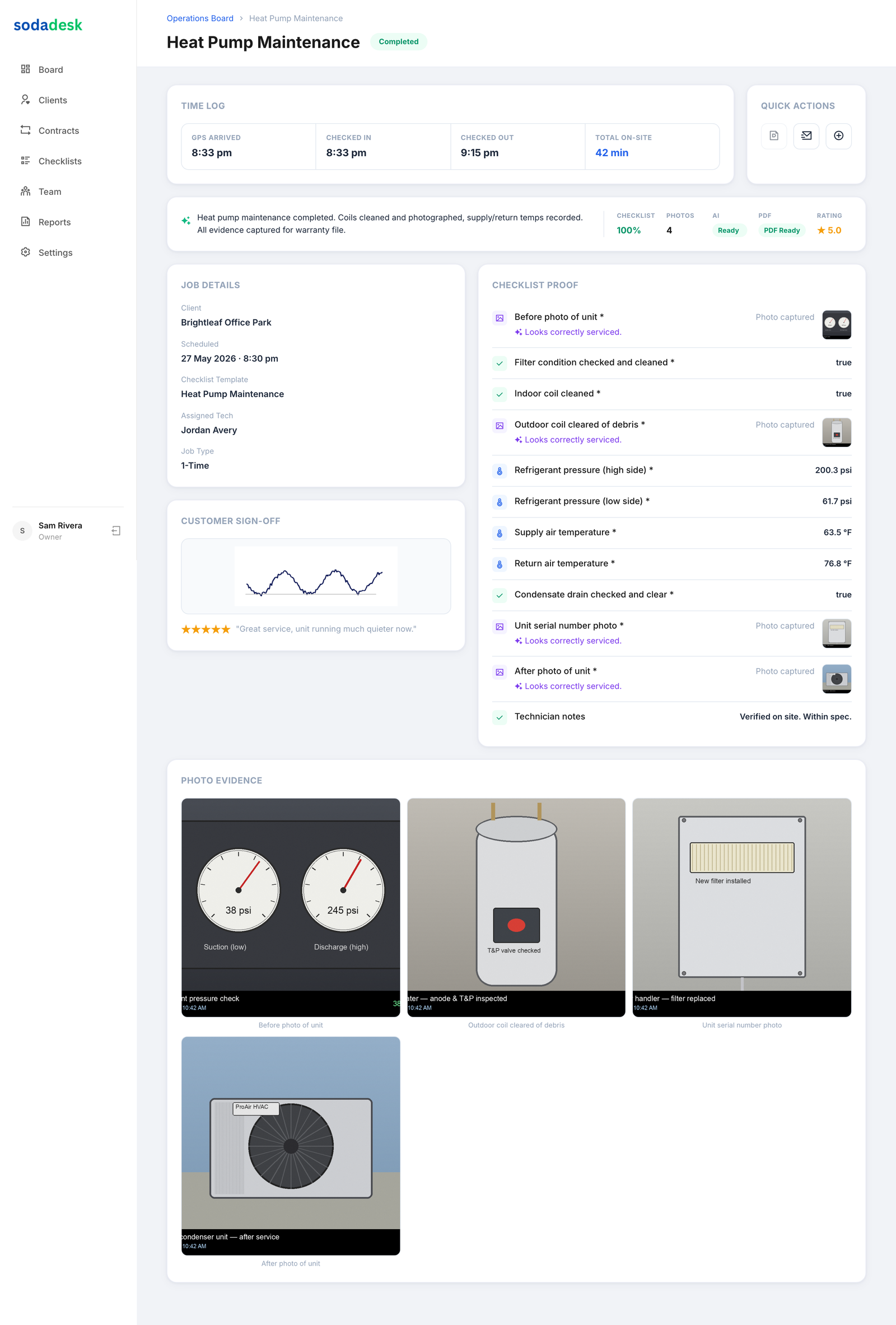
Giving techs job details, a checklist, and photo capture on their phone is the difference between "they say it's done" and "here's the proof." Here's how to set it up so every job leaves evidence and nothing gets marked complete until the required work is actually captured.
The Business Case
Techs complete a SodaDesk job in under 60 seconds of extra effort — and the owner gets photo, checklist, GPS, and signature proof for it.
How SodaDesk Solves It
Required items, enforced
Mark Complete is gated until every required photo and field is captured.
Dead-simple on mobile
Built so a tech adds under a minute of effort — not a second job.
Proof, not just a tick
Photos, readings, GPS, and signature back every completed job.
Purpose hints
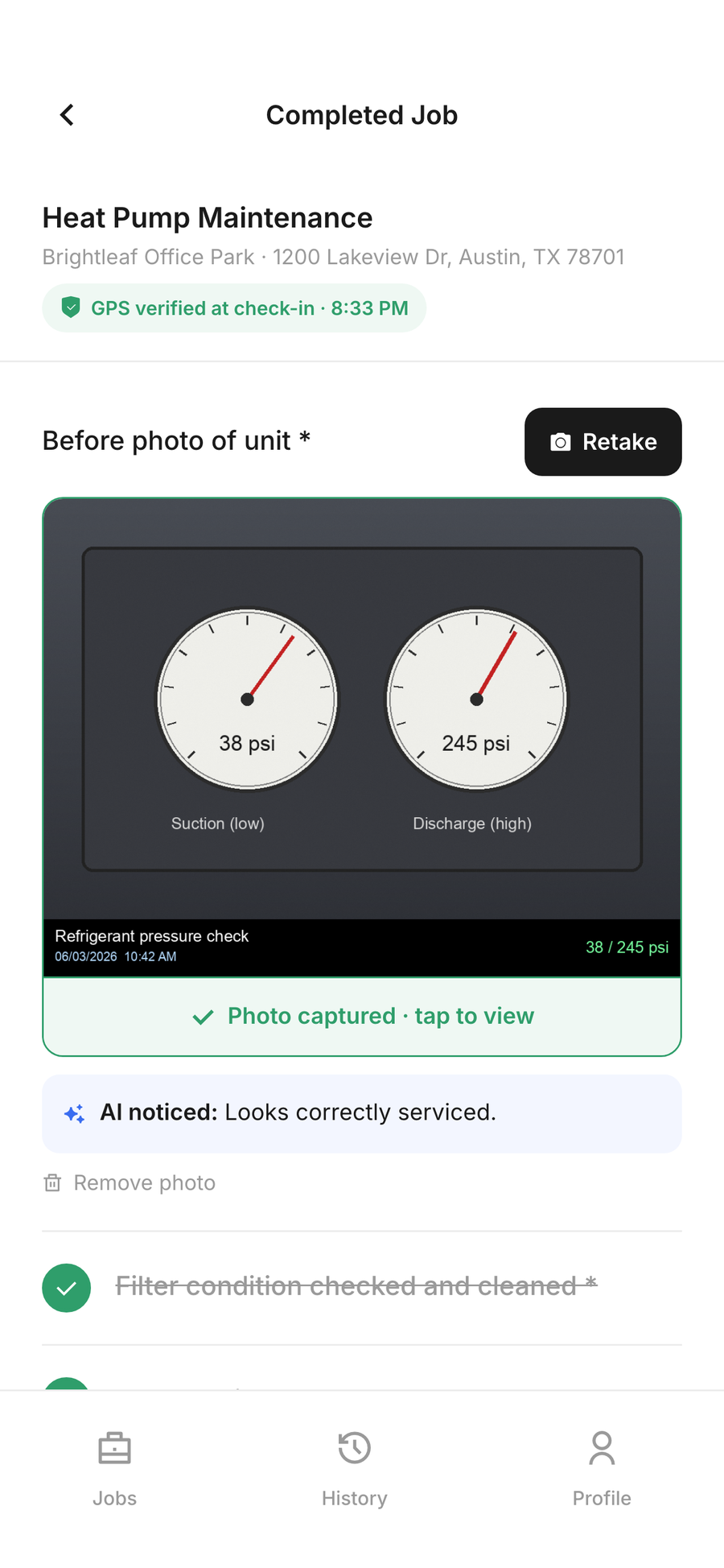
Each photo shows why it's needed before capture, so techs get it right first time.
How It Works
Build a checklist template
Create a template of 8–15 items — checkboxes, number fields with ranges, text notes, and required photos — using the add/remove builder. Keep it tight; techs ignore long forms.
Mark the proof items required
Flag the photos and readings that matter as required. Mark Complete stays disabled until every required item is captured, so proof can't be skipped.
Attach the template to jobs
Assign the template when creating a job or lock it to a recurring contract, so the tech opens the job with the right checklist already loaded.
Tech checks in on site
Check-in captures the time and, when location is allowed, a GPS-verified arrival. It's never blocking — denied permission still lets the tech check in.
Work the checklist and capture photos
The tech fills numbers, notes, and snaps required photos on their phone. Purpose hints tell them what each photo is for before they take it.
Close out with a signature
A customer signature closes the job and everything — photos, checklist, time on site, GPS — compiles into a job-proof record.
Frequently Asked Questions
How do I stop techs skipping required photos?
Mark the photo items required. The Mark Complete action is gated — it stays disabled until every required checklist item and photo is captured.
How long does a checklist take a tech?
SodaDesk is built so a job takes under 60 seconds of extra effort. Templates are kept to 8–15 items for exactly this reason.
Is GPS check-in mandatory?
No. GPS is non-blocking. If a tech denies location or it times out, they still check in — the verified badge only appears when accuracy is under 100m.
Where do the photos go?
Into object storage against the job (Wasabi, with a local fallback), referenced from the job record — never lost on a device.