If you run plumbing maintenance plans on a spreadsheet, visits get missed and there's no proof the work was done. Here's how to automate the whole cycle so each plan generates its next visit, assigns your regular tech, and leaves a job-proof record — without anyone remembering to schedule it.
The Business Case
Plumbing contractors lose 20–30% of maintenance-plan revenue to missed or undocumented visits. Automation closes that gap and makes renewals easy.
How SodaDesk Solves It
No more spreadsheet scheduling
Active contracts create their own visits 14 days out — nothing depends on someone remembering.
The right tech, automatically
Default-tech assignment routes each visit to the plumber who knows the site, or flags it for the owner.
Proof on every visit
GPS check-in, required photos, checklist results, time on site, and a signature — captured by default.
Renewal-ready records
A documented visit history makes the renewal conversation evidence, not opinion.
How It Works
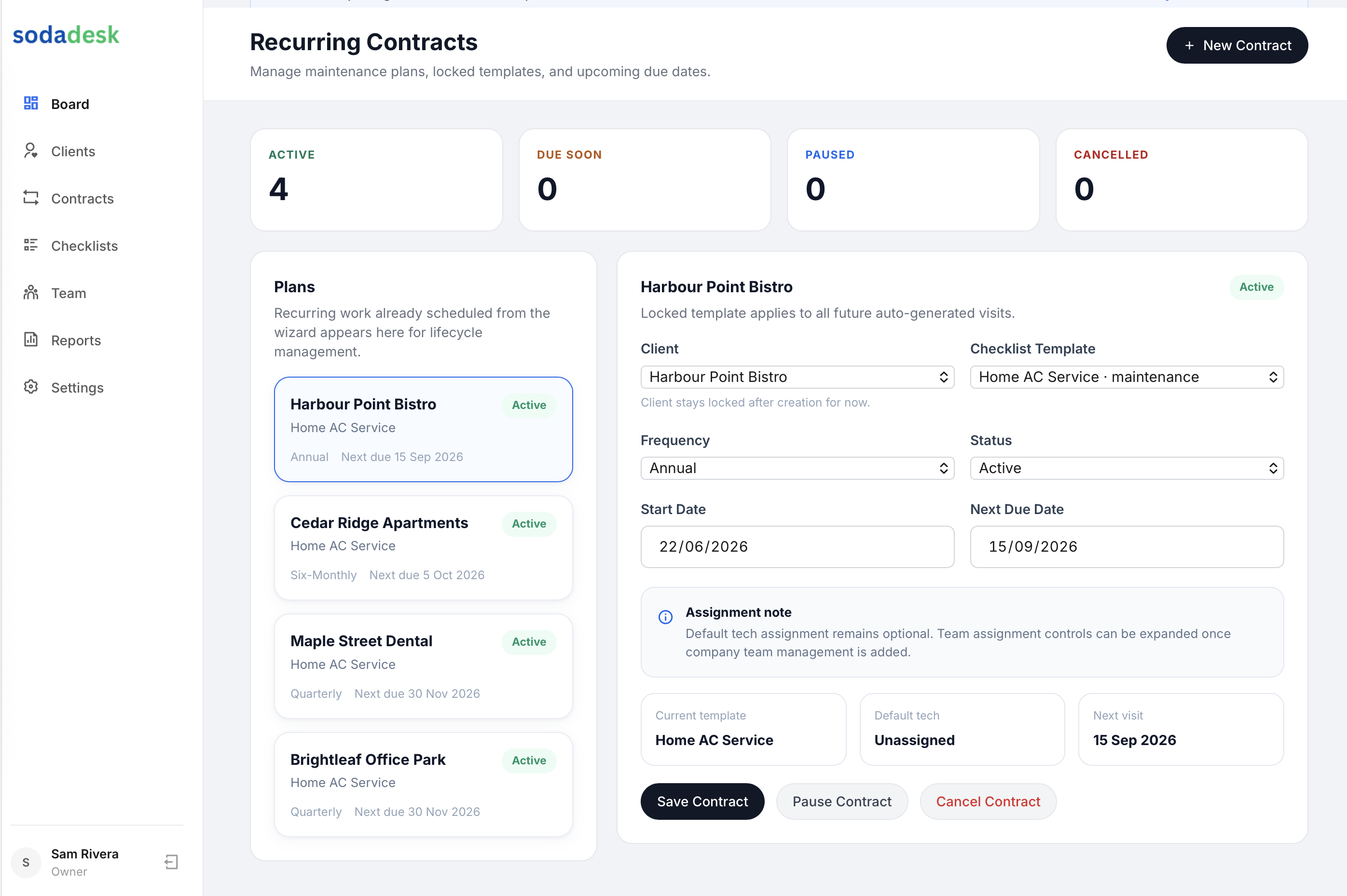
Turn each maintenance plan into a recurring contract
Create a recurring contract per client plan with a frequency (quarterly, six-monthly, or annual). The contract — not a spreadsheet — becomes the source of truth for when the next visit is due.
Lock a checklist to the contract
Attach the service checklist once at the contract level. Every generated visit uses it, so a backflow test or pressure check is captured the same way each time — consistency is the entire point of a plan.
Set the default tech
Assign the regular plumber who knows the site as the contract's default tech. Generated visits go straight to their field app; if you leave it blank, the visit is flagged unassigned in the owner's alert bell.
Let visits generate themselves
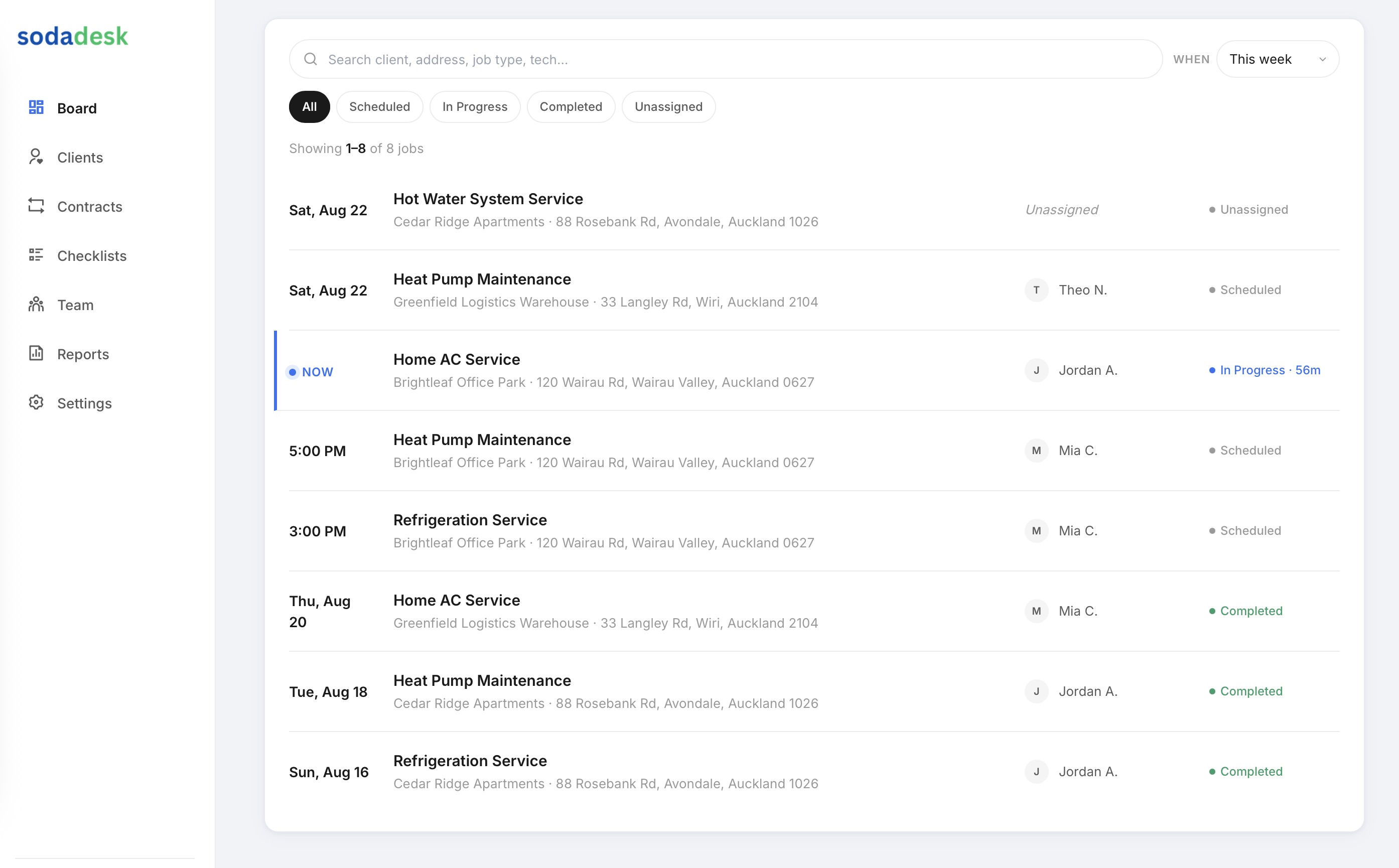
When a contract is active and its next due date is within 14 days, the visit job is created automatically — on creation, on system startup, and on a daily run. It's idempotent, so you never get duplicates.
Capture proof on each visit
The tech checks in (GPS-verified when allowed), works the locked checklist, captures required photos, and the customer signs. Everything compiles into a job-proof record you can send the client.
Use the history at renewal
Each visit's proof builds a documented record of the plan year, so renewal is a matter of showing the client everything you did — not arguing about value.
Frequently Asked Questions
How do recurring plumbing visits actually get created?
When a recurring contract is active and its next due date falls within 14 days, SodaDesk generates the visit job automatically — on contract creation, on system startup, and via a daily run. The process is idempotent, so the same visit is never created twice.
Do I have to schedule each visit manually?
No. That's the point of automation. You set the frequency once on the contract and the visits generate themselves; you only step in to assign a tech if you didn't set a default.
Can I prove the visit was completed?
Yes. Each visit captures GPS check-in, required photos, checklist results, time on site, and a customer signature, compiled into a job-proof record you can send the client.
What if I need to pause a client's plan?
Pause the contract and no further visits generate. Reactivating it resumes automatic generation from the next due date.
Is this a dispatch or invoicing tool?
No. SodaDesk automates recurring maintenance and captures job proof. It deliberately stays out of dispatch, quoting, and invoicing.