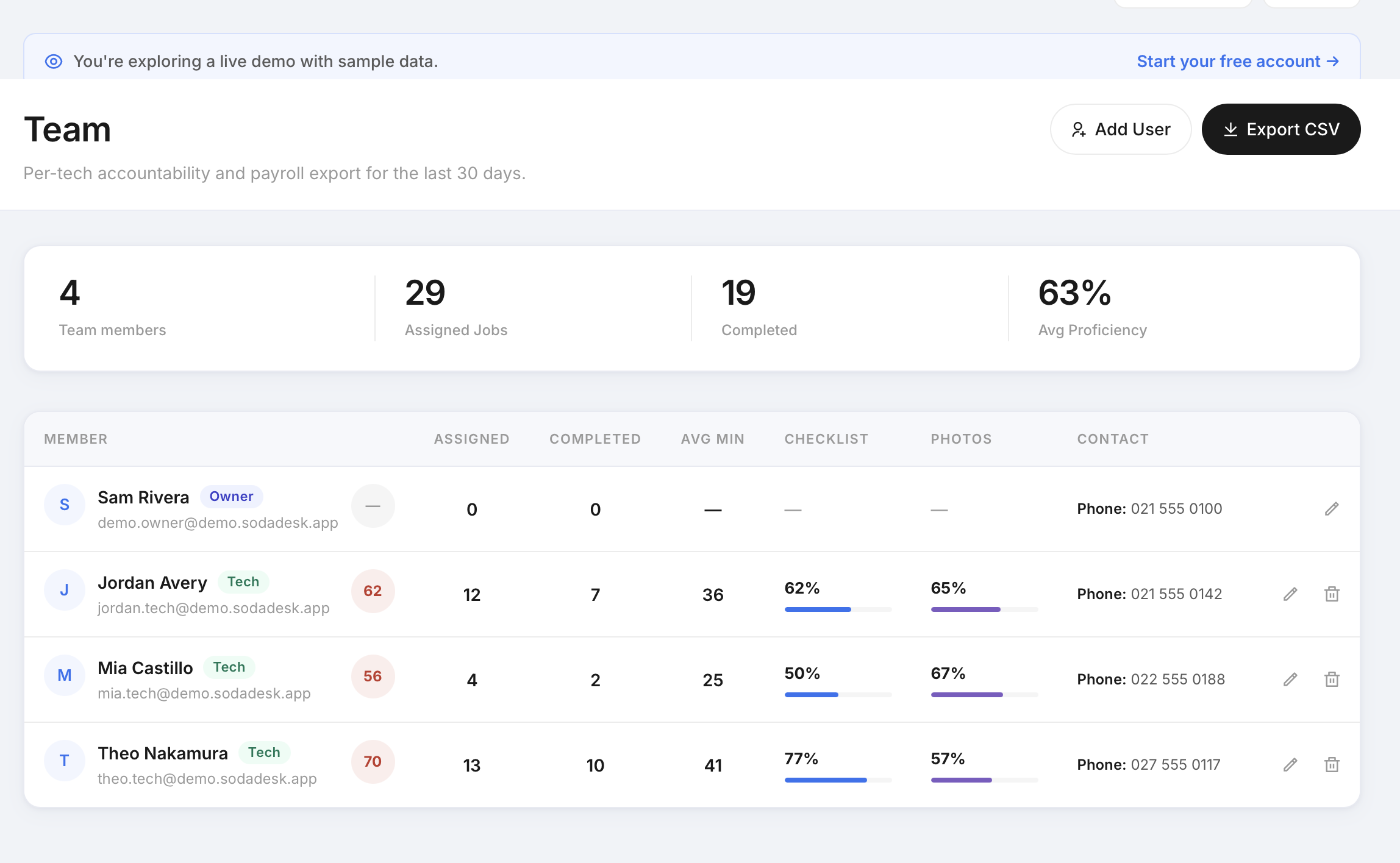
<p>A <strong>technician accountability checklist</strong> matters most when a callback lands and no one can reconstruct what happened on site because the visit record is thin, the photos are missing, and there’s no clear sign-off. That is usually when the owner ends up doing detective work instead of running the business. If you are searching for a <strong>technician accountability checklist for field jobs</strong>, the answer is not more admin. It is a smaller, repeatable way to capture the right proof while the technician is still on site.</p>
<p>That is where strong <strong>job records</strong> come in. Not a bloated system. Not a giant form nobody finishes. Just enough structure to show who attended, what was done, what was left, and whether the customer or supervisor could verify it. For small contractors, that kind of record is often the difference between a clean handover and a messy phone call later.</p>
<h2>The smallest technician accountability checklist that actually gets used</h2>
<p>If a checklist is too long, it gets skipped. If it is too vague, it does not help. The smallest useful version is one a technician can complete in the normal flow of a visit without stopping to think too hard. That means three parts: arrival, work done, and departure. Each part should capture proof, not just intention.</p>
<p>For an owner, the goal is not to turn every visit into paperwork. The goal is to create reliable <strong>job records</strong> that answer the basic questions quickly: Was the technician there? What did they inspect or service? What evidence shows the work was completed? Once those questions are answered consistently, the business has something solid to refer back to if a customer rings up later.</p>
<p>A practical <strong>technician accountability checklist</strong> can be as simple as this:</p>
<ul>
<li>Arrived on site: time, technician name, job reference</li>
<li>Started work: brief note on the issue or scheduled service</li>
<li>Completed work: tasks finished, parts used, issues found</li>
<li>Captured proof: photos, timestamps, notes, sign-off if available</li>
<li>Departed site: time out and any follow-up required</li>
</ul>
<p>That is enough to make the record useful without making the field team feel like they are filling out a form for the sake of it. The point is consistency. A small, repeatable checklist used every time is better than a more detailed one used only when someone remembers.</p>
<h2>How to document arrival, work done, and departure on every visit</h2>
<p>The simplest documentation flow is chronological. Record the arrival first, then the work, then the departure. That sounds obvious, but many weak records are written after the job and end up vague, incomplete, or out of order. A good field process captures the event while it is happening.</p>
<p>At arrival, note the time on site, the technician’s name, and the job reference. If the job involves a planned visit, note whether the technician was on time or delayed. If there was a delay, keep the reason short and factual. For example: “Access delay waiting for contact” or “Previous job ran over.” You do not need a long story. You need enough context to explain the timing in the <strong>job records</strong>.</p>
<p>While the work is being done, keep the description concrete. Say what was inspected, what was cleaned, what was repaired, and what condition was found. A good rule is to write it so someone outside the job could understand it later. “Serviced unit and checked operation” is weak. “Cleaned filters, checked drain line, tested unit after restart, no leak observed at completion” is better because it shows the sequence and the result.</p>
<p>At departure, close the loop. Record the time out, whether the customer was present, and whether sign-off was obtained. If the customer was not available, note that plainly. If further work is needed, write the next step. This is where the <strong>technician accountability checklist</strong> becomes more than a to-do list. It becomes the handover point that tells the office what happened and what still needs attention.</p>
<h2>What photos and timestamps should be captured on site?</h2>
<p>Photos should help a person understand the job without being there. That means they need to show context, not just random close-ups. A good field photo set usually includes the area before work, the work in progress when relevant, and the final result. If the job is a recurring service, the same angles each time are useful because they make comparison much easier.</p>
<p>Timestamps matter because they anchor the record to a real visit. A timestamp on arrival, another around completion, and a time-out record give the owner a better view of time on site. They also help when there is confusion about whether a visit happened at all, or how long the technician was there. That is not about surveillance. It is about making <strong>job records</strong> reliable enough to stand on their own.</p>
<p>A practical photo and timestamp sequence might look like this:</p>
<ul>
<li>Arrival timestamp with job reference</li>
<li>Before photo showing the area or equipment as found</li>
<li>Work photo if something visible was serviced, repaired, or cleaned</li>
<li>After photo showing the completed result</li>
<li>Departure timestamp with any final note</li>
</ul>
<p>Keep the standard consistent across the team. If one technician always takes a before photo and another only takes an after photo, the record becomes uneven and harder to trust. Consistency is what gives the <strong>technician accountability checklist</strong> value. It means the office can compare jobs more easily and spot when something is missing.</p>
<p>Do not force photos where they do not help. The point is useful proof, not collecting every possible image. A clean set of three to five relevant images is usually more useful than a long camera roll nobody wants to review.</p>
<h2>Why recurring maintenance visits need the same proof every time</h2>
<p>Recurring work often looks routine, which is exactly why records can get sloppy. Teams assume the job is the same as last time, so they write less, photograph less, and rely on memory more. That is where trouble starts. If a unit behaves differently, or a customer later says the visit was not completed properly, the business needs a record that shows what was actually done on that specific visit.</p>
<p>Recurring visits should use the same proof pattern every time. The inspection points might be familiar, but the record should still include arrival, work done, and departure. If the task is monthly maintenance, the checklist can include the same core items each visit: filters checked, drains inspected, visible issues noted, operation tested, and any exceptions recorded. That gives the owner a clean trail of <strong>job records</strong> across the service history.</p>
<p>This is especially useful when a customer asks what changed from one visit to the next. If each visit uses the same proof structure, you can compare records without trying to interpret different writing styles or missing details. That makes handovers easier when one technician is off and another picks up the account. It also makes it easier to manage the business when the office is under pressure and needs to answer a question fast.</p>
<p>The smallest repeatable process wins here. A <strong>technician accountability checklist</strong> does not need to be complicated to be useful on recurring work. It just needs to be used the same way, every time, so the record is dependable rather than guessed at.</p>
<h2>How to keep callback disputes simple with a clean job record</h2>
<p>Callback disputes get messy when the only evidence is memory. One person remembers one thing, the technician remembers another, and the owner ends up trying to piece together a story from messages and half-finished notes. Clean <strong>job records</strong> reduce that friction because they give everyone the same base facts.</p>
<p>A good rule is this: if a callback could happen, record the visit as though someone else will need to understand it later. That means writing down the issue found, the action taken, and the condition at departure. It also means making sure the evidence matches the note. If the record says the filter was replaced, the photos and timestamps should support that visit. If the record says the site was left clean and operational, the final note should reflect that plainly.</p>
<p>When a dispute comes up, keep the conversation anchored to the record. Start with the facts from the visit, not with assumptions about fault. Was the technician there? What was found? What was completed? Was anything deferred? A reliable <strong>technician accountability checklist</strong> makes that easier because it creates a known sequence rather than a vague memory trail.</p>
<p>It also helps avoid the common problem of over-explaining. The cleaner the record, the less the office needs to reconstruct. You do not need pages of narrative. You need a useful trail that shows what happened, when, and by whom.</p>
<h2>What to review before closing out a field job?</h2>
<p>Before a job is closed out, the office or technician should do one final check: is the record complete enough for someone else to understand it later? That is the real test. If the answer is no, the job is not really closed, even if the tech has left the site.</p>
<p>Use this short review before marking a visit complete:</p>
<ol>
<li>Is the arrival time recorded?</li>
<li>Is the work described in plain language?</li>
<li>Are before and after photos attached where useful?</li>
<li>Is the departure time captured?</li>
<li>Is there sign-off or a note explaining why there is not?</li>
<li>Are any follow-up actions clearly listed?</li>
</ol>
<p>That review does not need to take long. It just needs to be done consistently. If one item is missing, the owner can decide whether the job can be closed or whether the technician needs to add the missing detail. This is where a <strong>technician accountability checklist</strong> earns its place. It gives the team a final gate before the record is stored and forgotten.</p>
<p>It can also help to assign one simple decision rule: if the job would be hard to explain to a customer tomorrow, it is not ready to close today. That keeps the standard practical. It avoids over-documenting easy visits while still protecting the business when something is questioned later.</p>
<h2>Reflective closing</h2>
<p>Small field businesses do not usually fail because they lack effort. They run into trouble when the proof trail is weak and the office has to reconstruct a visit after the fact. A lightweight, repeatable <strong>technician accountability checklist</strong> gives the business a better way to handle that pressure without adding unnecessary admin.</p>
<p>Used properly, the process is simple: record arrival, document the work, capture useful photos and timestamps, and close out with a clear departure note or sign-off. Do that consistently and the <strong>job records</strong> become easier to trust. That means fewer reconstruction calls, clearer handovers, and a more reliable service record.</p>
<p>If you are tightening up how your team documents field work, start with the smallest version that your technicians will actually use. If it helps to make that record easier to capture, SodaDesk is built around exactly that kind of field accountability problem.</p>
<p>The future is bright, let's go there together!</p>
<p>Thanks for reading,<br>
Cheers Keiran</p>
<hr>
<p><strong>Big Wave Digital.</strong><br>
Born in Sydney. Built for digital.<br>
Obsessed with tech.<br>
Trusted by the best.<br>
And, most importantly, ready when you are.</p>
<p><em>"Courage is knowing what not to fear."</em><br>
— Plato</p>
<p>Fear slow hires.<br>
Fear bad hires.<br>
Fear wasting time.</p>
<p>But don't fear reaching out.<br>
We're right here.</p>
<p>Let us help you build a Brilliant team in Digital.</p>
<hr>
<p>Big Wave Digital are experts in <strong>Digital Recruitment Sydney</strong></p>
<p>At <strong>Big Wave Digital</strong>, Sydney's leading digital, blockchain and technical recruitment agency, we have deep connections, experience and proven expertise, and the ability to achieve a win for all parties in the challenging recruiting process. We can connect to highly coveted digital and tech talent with the world's best employers.</p>
<p>Keiran Hathorn is the CEO & Founder of Big Wave Digital. A Sydney based niche Digital, Blockchain & Technology recruitment company. Keiran leads a high performance, experienced recruitment team, assisting companies of all sizes secure the best talent.</p>
<p><img src="https://bigwavedigital.com.au/contentmagic/images/keiran_recruitment_sydney.jpg" alt="Keiran Hathorn - Digital Marketing Recruitment in 2026 Sydney" style="max-width:300px;height:auto;border-radius:8px;" /></p>
<p><em>Digital Marketing Recruitment in 2026 Sydney</em></p>